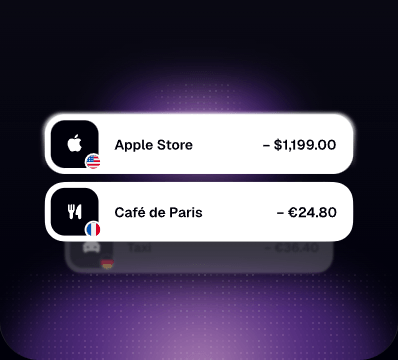
Apple Pay & Google Pay.
Add the card to Apple Pay or Google Pay and tap to pay at any contactless terminal.
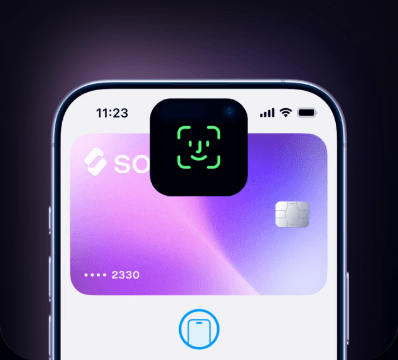
Instantly create and top-up your SolCard with SOL and
enjoy hassle-free shopping IRL and online.


Pay at almost any shop that accepts bank cards, with approval rates that stay high.
No Verification
Spend up to $5,000 per month, instantly.
Simple pricing on every top-up, plus a one-time $10 issuance fee for each new card.
Get help when you need it.
Shop on virtually any website or digital platform — worldwide.
Verification Required
Unlimited spending for everyday use.
Top up your card with zero extra fees.
Skip the line with faster customer support.
Use SolCard with Apple Pay and Google Pay.

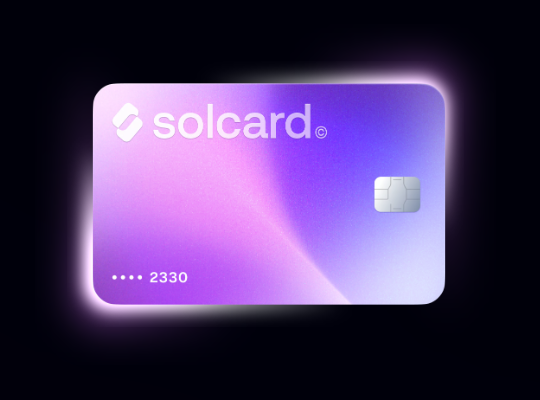
Open your card in a minute, load it with SOL or USDC and pay wherever cards are accepted.
Your balance stays in your hands: spend, freeze or withdraw whenever it suits you, straight from the dashboard.
A crypto card works like any bank card, except the balance behind it is digital. You load SOL or USDC onto the card and at checkout the amount converts to the currency the merchant expects. The shop sees a normal card payment and you spend coins from your wallet.
Yes. Load SOL from your wallet and the card pays at restaurants, grocery stores, travel sites and most other places that accept cards. Coverage reaches more than 150 million merchants, in stores and online alike.
Yes. The card accepts USDC and other stablecoins from more than nine networks, including Solana, Ethereum, Base and Polygon. Load any supported coin and the balance is ready to spend right away, with no guessing about the amount you pay.
No bank account is needed. Funding comes directly from your crypto wallet and there is no credit check. You sign up, complete the identity step if you want Platinum, and load the card with crypto.
Almost anywhere. That covers more than 150 million merchants in over 200 countries: online stores, cafes, fuel stations, subscriptions, taxi apps and hotels included.
Send crypto from any wallet to the deposit address shown in the dashboard. SOL, USDC and tokens on more than nine networks are supported, and the funds appear on the card within seconds.
Yes. The card is accepted at over 150 million merchants in more than 200 countries, so travel, foreign shops and international subscriptions work the same way as at home.
Client balances are held apart from company operating funds. Only the transactions you start are processed, and the freeze button in the dashboard stops the card immediately if something looks wrong.
SolCard is a prepaid card for people whose money lives on chain. Instead of sending coins to an exchange, selling them and waiting for a bank transfer, you load the card once and spend from it directly. The card is issued digitally, so there is nothing to collect at a branch and nothing to sign on paper. A virtual card appears in your dashboard within seconds of finishing the short signup, while Platinum adds a physical card and phone wallet support for shops that still ask you to tap.
What sits behind the card matters more than the plastic: a balance you control. Top-ups arrive from your own wallet, the card draws from that balance, and whatever is left can be sent back at any hour of the day. No monthly statements in the post, no branch visits, no minimum deposit to keep the account alive.
SOL and USDC are the usual choices, and other stablecoins on the supported networks work as well. Pick whatever is cheapest for you to move.
A virtual card is created in roughly eighteen seconds. A physical Platinum card is posted once the identity check clears.
Yes. The card works in every country where its payment network is accepted, and the amount is converted at the rate of the day.
Freeze the card from any browser, then unfreeze or re-add it once the phone is replaced. The balance itself stays untouched.
Only for Platinum. The basic virtual card is issued without an identity check, though lower limits apply.
Send the remaining balance back to your wallet and ask support to close the profile. Nothing is held back after that.
Ready to try it? Open an account, compare the two plans, or read the $SOLC tokenomics first.